What was broken
A church AV booth running sound, video, ProPresenter, and live streaming for a Sunday service, staffed by volunteers with very different technical levels. Setup before service was thirty minutes of one experienced person rushing between five stations, remembering which switch to flip in which order. Shutdown was worse — tired volunteers, end of a long morning, easy to forget the one step that mattered. Things got missed. When something went wrong mid-service, the volunteer on duty didn't know whether the problem was the mixer, the streaming computer, or a cable, and there was no one to ask in the middle of a worship set.
The deeper problem wasn't the equipment. It was that all the operational knowledge lived in one person's head, and that person couldn't be in the booth every Sunday.
What I built
A mobile-first PWA the volunteers open on their phones at the booth. Five views.
Setup and shutdown checklists with a progress counter, so a volunteer can pick up mid-flow if they get interrupted and know exactly where they were.

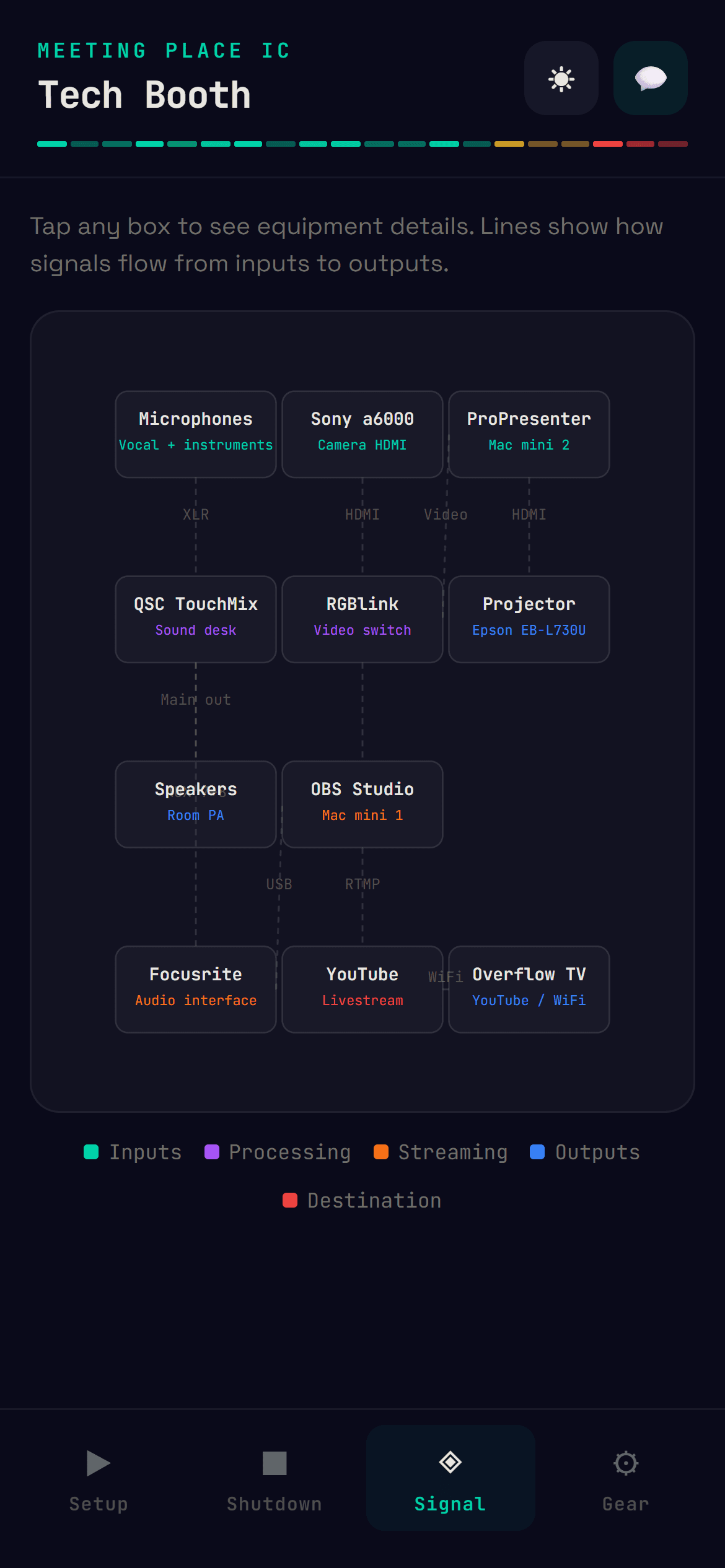
Signal flow diagram that shows how audio and video actually move through the system — mic to mixer to recorder, camera to switcher to stream.
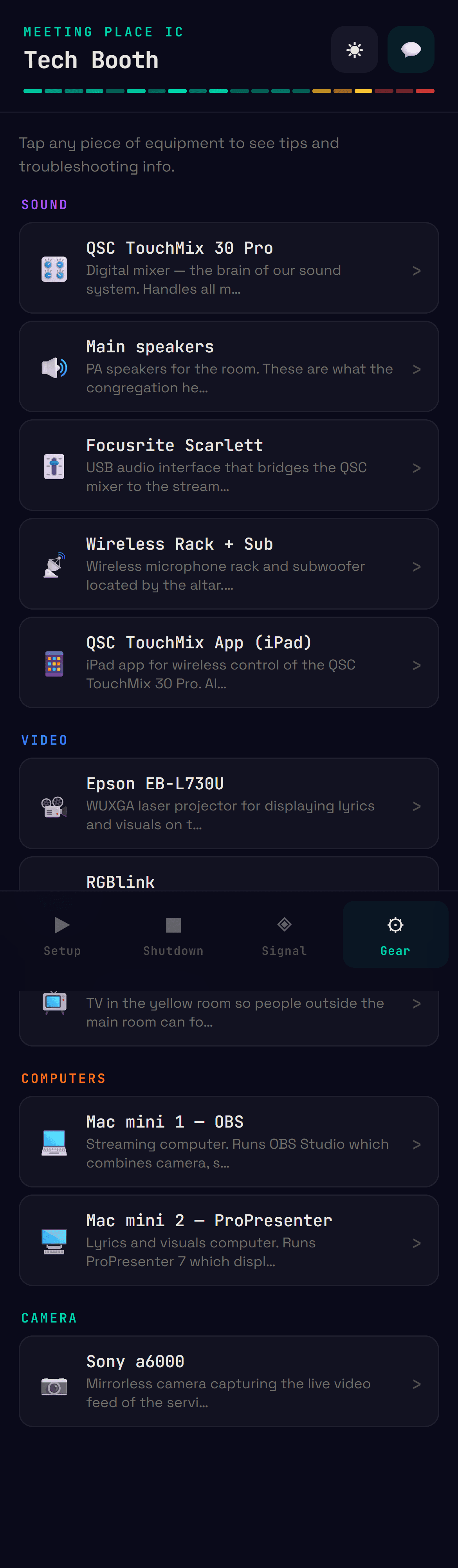
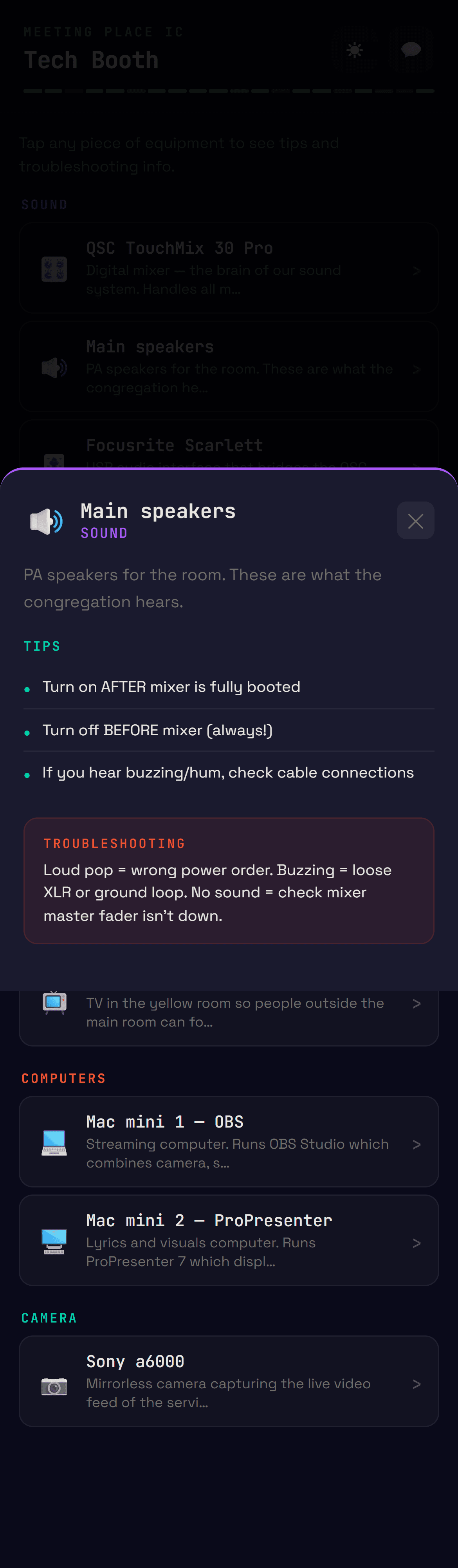
Equipment cards grouped by category — sound, video, computers, camera — each with what it does, tips that came from real mistakes I'd seen volunteers make, and a troubleshooting note for the most common failure mode.
WhatsApp contact button for when something goes wrong and they need backup.
Dark theme, JetBrains Mono, emoji-only icons, no icon library. The volunteers are using this in low light during a service. The design has to be readable at a glance and not feel like a corporate form.
How the 3-layer pattern shows up here
The directive is the data file — every piece of equipment, every checklist step, every troubleshooting note lives in one place and gets edited like a document. Orchestration is the React view state that decides what to show: which view the volunteer is on, which equipment modal is open, how far through the checklist they are. Execution is the rendering, the localStorage that remembers checklist progress, the WhatsApp deep link that actually opens the conversation.
The split matters because it means non-technical volunteers can add new troubleshooting tips by editing one file, and the rest of the system inherits the change automatically. The knowledge captured during one Sunday gets distributed to every volunteer the next Sunday, without me being involved.
Tech
Next.js 14, React 18, no Tailwind, no UI libraries, all styling inline. PWA via manifest.json. Hosted on Vercel. Total runtime cost: zero.
Why it matters for an ops team
Every operations team I've worked in has had the same problem in a different costume. Critical knowledge sits with one or two senior people who know "how things actually work here," and the rest of the team is one resignation away from a crisis. Runbooks solve this on paper but rot fast because nobody updates them.
The thing I learned building this is that the runbook has to be the tool people use during the work — not a doc they consult beforehand and forget about. When the checklist is the only way to track progress, it stays accurate. When troubleshooting tips appear in the equipment card the volunteer is staring at right now, they get read.
The same logic applies to a CS team's escalation playbook, a sales team's deal desk SOP, a finance team's month-end close checklist. The runbook isn't a document. It's a tool.
What I'd do differently
Should have built the contribution loop earlier. Right now volunteers tell me when something needs updating and I edit the data file. That works at ten volunteers and one Sunday a week. It wouldn't scale to a multi-campus church or a real ops team. The next iteration adds a "suggest an edit" flow that captures volunteer feedback in-context — they hit a problem, tap a button, the suggestion lands somewhere I can review and merge. Closes the loop without requiring me to be in the room.